
Managing Access with Application Roles
Overview
When users access Honeycomb Maps, they are assigned an application role that defines their permissions and capabilities within the application. Application roles control what users can see and what actions they can perform.
See the users, permissions, and sharing page to learn more about each application role.
Managing Application Role Assignments
To assign application roles to Snowflake account roles:
Using the Snowsight UI
- Navigate to the application management interface
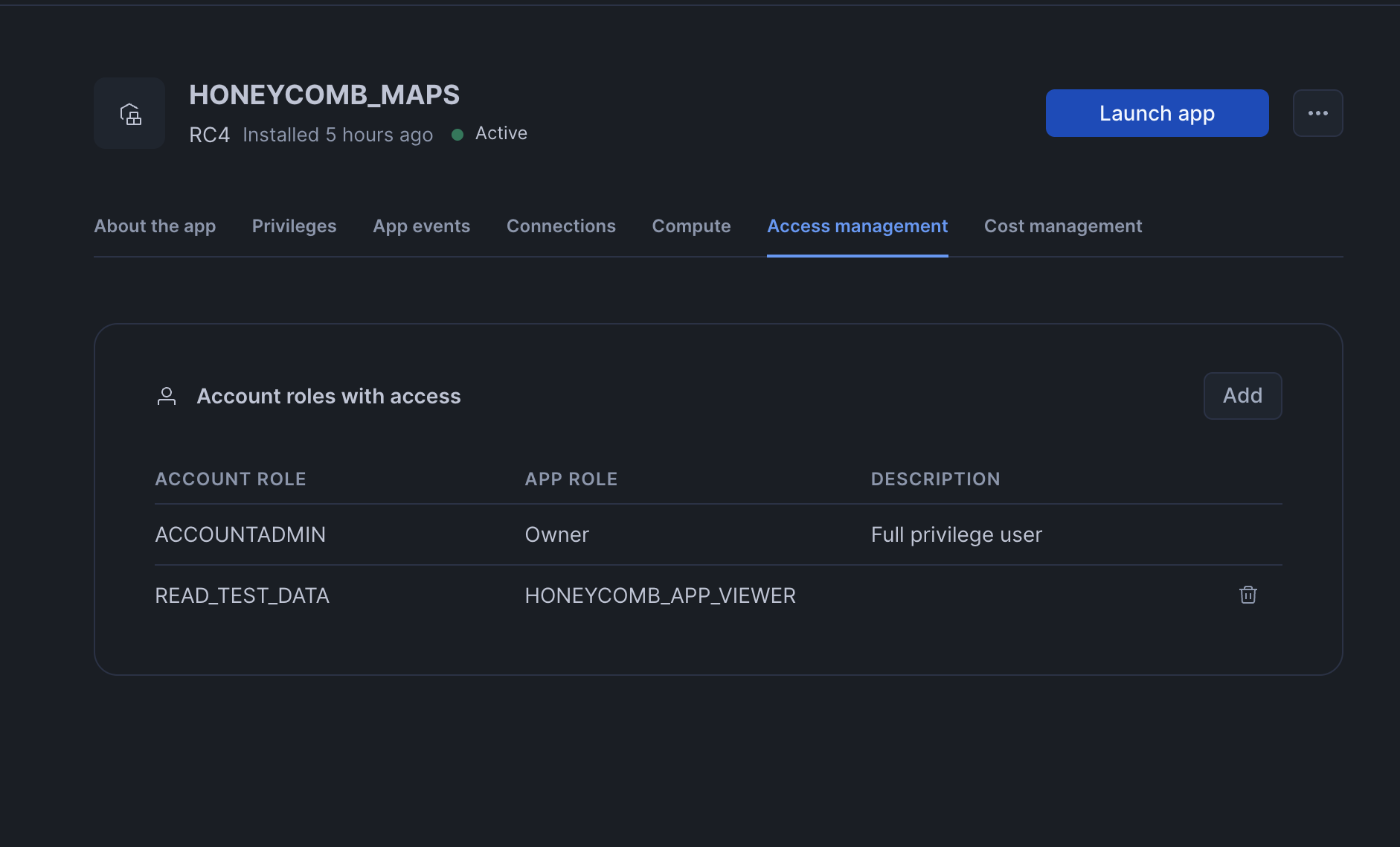
- Click on the Access Management tab
- Click Add next to "Account Roles with Access"
- Select which Snowflake account roles should have access to Honeycomb Maps
- Assign the appropriate application role to each account role
Using SQL
Grant application roles to Snowflake account roles using SQL statements:
GRANT APPLICATION ROLE HONEYCOMB_APP_ADMIN TO ROLE <your_admin_role>;
GRANT APPLICATION ROLE HONEYCOMB_APP_EDITOR TO ROLE <your_editor_role>;
GRANT APPLICATION ROLE HONEYCOMB_APP_VIEWER TO ROLE <your_viewer_role>;
Example: Role Assignment Strategy
Scenario: Speedy Delivery Company uses Honeycomb Maps to monitor delivery performance by H3 hexagon.
Teams and Snowflake Roles:
- Data Engineering Team (Snowflake role:
DATA_ENGINEERING): Manages aggregated delivery statistics tables and administers Snowflake - Business Analytics Team (Snowflake role:
BUSINESS_ANALYTICS): Creates visualizations from delivery data to share with the business - Operations Team (Snowflake role:
OPERATIONS): Views visualizations daily to identify problem areas
Recommended Application Role Mapping:
| Snowflake Role | Application Role | Rationale |
|---|---|---|
DATA_ENGINEERING | HONEYCOMB_APP_ADMIN | Enables viewing all users and maps, reassigning map ownership when employees leave, and restoring deleted maps |
BUSINESS_ANALYTICS | HONEYCOMB_APP_EDITOR | Allows creating maps and editing shared maps from team members |
OPERATIONS | HONEYCOMB_APP_VIEWER | Provides access to view shared maps without creation or editing capabilities |
Note: Requirements vary by organization. Design your role mapping strategy based on your team structure and workflows.
Application Roles and Resource Permissions
Application roles have different levels of access to Honeycomb Maps resources:
Metadata Tables
Honeycomb Maps stores metadata in Snowflake tables within the CONFIG schema. Access permissions vary by role:
- HONEYCOMB_APP_ADMIN: Full read and write access to all metadata tables
- HONEYCOMB_APP_EDITOR: Can modify maps and permissions tables; read-only access to other tables
- HONEYCOMB_APP_VIEWER: Read-only access to metadata tables
See Accessing Map Metadata with SQL Queries for details.
Administrative Procedures
Only users with the HONEYCOMB_APP_ADMIN role can execute administrative stored procedures:
SET_APPLICATION_SCALE: Configure application scaling settingsSET_WAREHOUSE_SIZE: Adjust warehouse size for the application
Best Practices
- Principle of least privilege: Assign the minimum application role needed for users to perform their tasks
- Document role mappings: Maintain documentation of which Snowflake roles are mapped to which application roles
- Centralize administration: Limit
HONEYCOMB_APP_ADMINrole to a small group of trusted administrators
Related Documentation
- Administrative Functions - Learn about admin-specific capabilities
- Accessing Map Metadata with SQL Queries - Query metadata tables directly