
Using Honeycomb Maps with AI Agents
Honeycomb Maps exposes a Model Context Protocol endpoint at [APP_BASE_URL]/mcp.
This endpoint can be used to give AI agents access to Honeycomb Maps to create and edit maps.
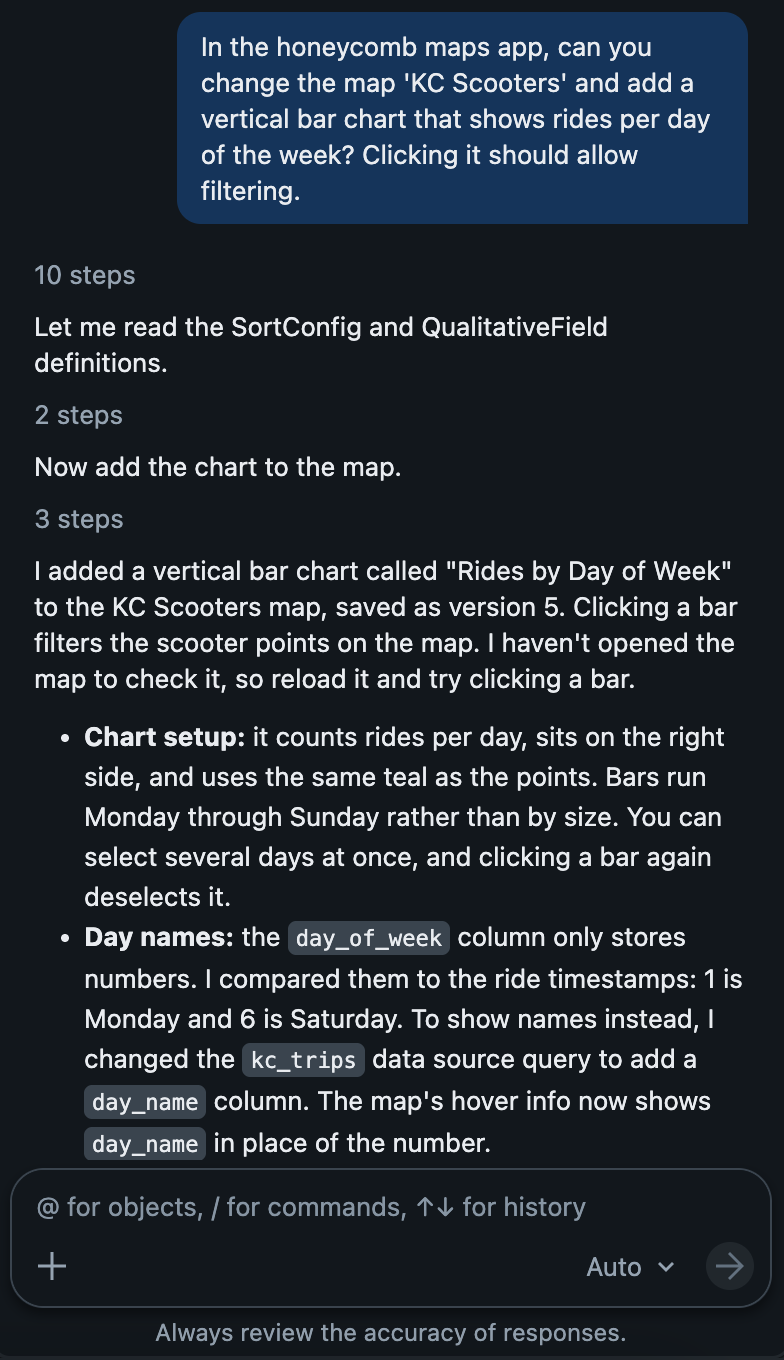
When accessing Honeycomb Maps via MCP, the end user's identity is preserved. This means that if User A uses Genie to create a map in Honeycomb, the map will be owned by User A.
Honeycomb's MCP connector is designed to be complementary to the user interface. All functionality exposed by the MCP connector can also be accessed through the UI. Honeycomb Maps uses Honeycomb Map Language to define interactive maps through a declarative specification.
Databricks Genie Code
To connect Genie Code to Honeycomb Maps, use the instructions here: https://docs.databricks.com/aws/en/genie-code/mcp.
If the Honeycomb Maps app is installed in your Databricks workspace, it will appear as a 'Custom App' in the Genie Code MCP configuration page.
Other AI Agents (Claude, ChatGPT, Copilot)
You can connect other AI tools to Honeycomb Maps in Databricks. To do so, use {APP_BASE_URL}/mcp as the MCP Server URL. You will be redirected to a consent screen managed by Databricks.
For example, you can use Anthropic's Claude as part of a geospatial analyst workflow, and use Honeycomb Maps to visualize the outputs.
Depending on the tool you use, you may need to configure a custom OAuth application in Databricks. You can find more information here: https://docs.databricks.com/aws/en/partner-connect/ai-agents#default-oauth-apps.